
Edit Song
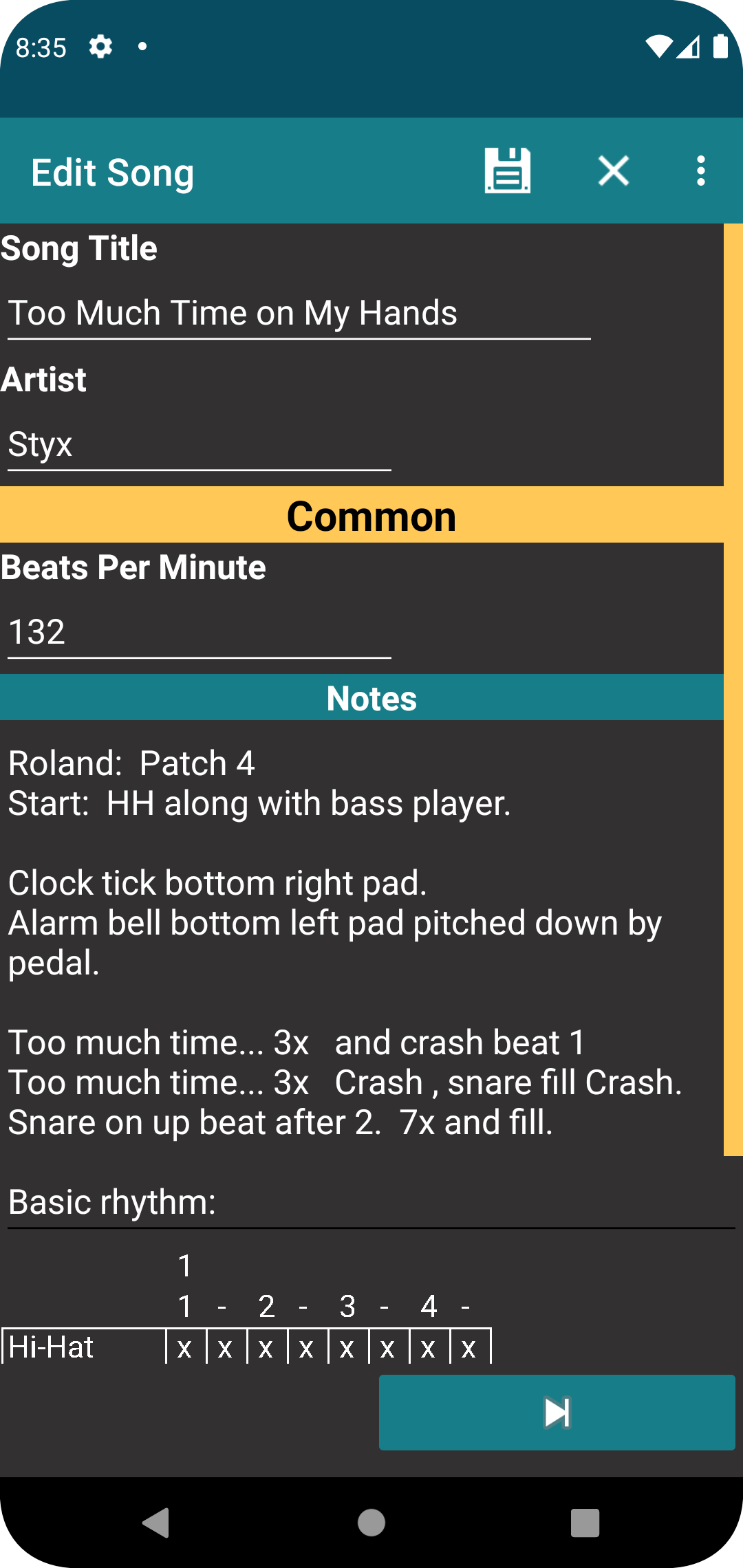
This screen is used to add or edit songs.
Fields
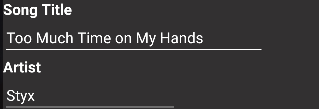
The song title and artist are typical text fields and what you use to identify the song in other parts of the application. The song title is a required field while the artist is optional. The app does allows for duplicate songs by the same name.
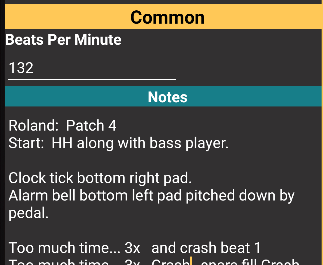
Beats per minute and notes are part of what is called the song variant. The header of this section will show the band name if editing the band variant or "Common" if editing the variant that applies to all bands. The metronome on the Play page will first look at the beats per minute setting for the band performing the song. If there is no tempo setting for the band, the metronome will use the beats per minute set in the Common variant. For the notes, the Play screen will show both the Common notes and the notes for the band assigned to the performance. Keep in mind that variiants are not available in the free version of the application.
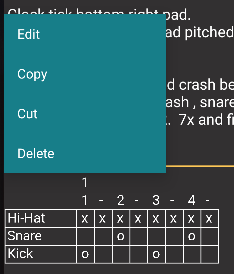
If you long press the a tablature entry in your notes, it will open a context menu that will allows you to perform various operations.
Buttons
The next and previous buttons will move the display to the different variants, so that you can set notes and tempo. Notes in the common variant will always be shown on the Play screen. The tempo used on the Play screen will be the band-specific tempo unless it is left blank, in which case the tempo set in the common variant will be used.

When editing notes, the add tablature button will be displayed. Pressing this will allow you to add tablature into the current section of the notes.

Save all changes and return to the previous screen.

Discard all changes and return to the previous screen.
